고정 헤더 영역
상세 컨텐츠
본문

While micro-interactions often go unnoticed by the user, it is really important to keep them in mind as a designer. While users encounter micro-interactions multiple times a day, they tend to go unnoticed. And don’t get me wrong, a good micro-interaction is supposed to go unnoticed. Within most designs, there are places where a little animation and feedback go a long way towards enhancing the user experience.
마이크로 인터랙션은 사용자들에게 눈에 띄지 않는 경우가 많지만 디자이너로써 그것들을 신경쓰는 것이 매우 중요하다. 사용자들은 하루에도 몇번씩 마이크로 인터랙션을 직면하는 반면, 그들은 눈에 띄지 않는 경향이 있다. 오해하지 말아라, 좋은 마이크로 인터렉션은 눈에 띄지 않는 경향이 있다. 대부분의 디자인에서 작은 애니메이션과 피드백은 사용자의 경험을 향상시키는 곳에 위치해 있다.
What are Micro Interactions
Microinteractions are defined as small moments where the user and the design interact. They have a single purpose; to enhance the experience the user has with the design. When they’re properly designed they create a moment that is engaging, welcoming and almost human. But when they’re badly designed, they will damage the user experience.
As stated by Dan Saffer, author and designer of the book Microinteractions: Designing With Details, micro-interactions are “contained product moments that revolve around a single use case.” They’re the types of interactions that you barely notice until they aren’t there anymore.
마이크로 인터랙션은 무엇인가?
마이크로 인터랙션은 사용자와 디자인이 상호작용은 작은 순간을 말한다. 그들은 하나의 목적을 가지고 있다; 사용자에게 디자인 경험을 향상시키는 것. 그것들이 적절하게 디자인 되어질때 그것은 매력적이고, 환영받고 거의 인간적인 순간들을 만들어 낸다. 그러나 그것들이 나쁘게 디자인 되면 사용자 경험에 데미지를 입힐 것이다.
Micro-interactions can be broken down into four parts:
마이크로 인터랙션은 4가지 파티로 쪼갤 수 있다.
Trigger
A trigger initiates the micro-interaction. These can be initiated by the user or can be initiated by the system. In the last case, the software detects if certain qualifications are met // and starts an action.
트리거가 마이크로 인터렉션을 시작한다. 이것들은 사용자나 또는 시스템에 의해 시작될 수 있다. 마지막의 경우, 소프트웨어는 특정 자견요건에 충족하는지를 탐지하고 액션을 시작한다.
Rules
The trigger engages the rules. These determine what happens during the micro-interaction.
트리거는 규칙을 적용한다. 이것들은 마이크로 인터렉션 동안 어떤 일이 일어날지를 결정한다.
Feedback
The feedback lets the user know exactly what’s happening. Anything a user sees, hears or feels during the span of a micro-interaction is considered feedback.
피드백을 통해 사용자는 현재 상황을 정확히 알수 있다.사용자가 마이크로 인터렉션 기간 동안 보고 듣고 또는 느끼는 무엇이든 피드백으로 간주된다.
Loops & Modes
This part determines the meta-rules of the micro-interaction. It determines // the length of the micro-interaction, if the user needs to change it over time // and what will happen to the micro-interaction when the conditions change.
이 부분은 마이크로 인터렉션의 메타 룰을 결정한다. 마이크로 인터렉션의 길이를 결정한다. 사용자가 시간이 지남에 따라 변경해야 하는 경우 마이크로 인터랙션의 길이와 조건이 변경될 때 마이크로 인터랙션이 어떻게 되는지 결정합니다.

The Importance Of Micro-Interactions
Why should we care about micro-interactions if they are small, often unnoticed, design elements? Well, sometimes during the process of creating a product, designers tend to forget what their main goal really is: to change the way humans behave in a positive way. Digital products are designed to be used by people, preferably more than once. You want your user to use your product often and repeatedly, kind of like a habit. Habits are what change the behavior of humans, and micro-interactions help humans to form habits.
When you find opportunities for micro-interactions in your design, you find a potential reason for your user to keep returning to your product. Features bring a user to your product, but the details make the user want to stay.
Well designed micro-interactions meet the user’s natural desire to be acknowledged. They increase user engagement at a relatively low cost. If you are able to design an experience that accomplishes a goal or a task while providing a bit of delight and acknowledgment in the process, you’re giving the user their cherry on the cake. That’s what makes a returning user or visitor.
cherry on the cake=icing(frosting) on the cake=금상첨화
=something that makes a good situation even better or a bad situation even worse.
마이크로 인터렉션의 중요성
마이크로 인터렉션이 작고, 자주 눈에 띄지 않는 디자인 요소라면 왜 우리는 그것을 신경써야 할까? 자, 가끔은 상품을 만드는 과정에 있어서, 디자이너들은 그들의 진짜 목표를 잊는 경향이 있다. : 긍정적은 방법으로 사람들의 행동을 바꾸는 것. 디지털 상품들은 사람들에게 그리고 가급적이면 한 번 이상 사용되어 지기 위해 디자인 된다. 당신이 당신의 사용자가 당신의 상품을 자주 그리고 반복적으로, 일종의 습관처럼 사용하기 원한다. 습관은 사람의 행동을 변화시키는 것이고, 마이크로 인터렉션은 사람의 습관을 바꾸는 것이고, 마이크로 인터랙션들은 사람이 습관을 형성하도록 도와준다.
당신의 디자인에서 마이크로 인터렉션 기회를 발견하면, 당신의 사용자가 다시 당신의 상품에 돌아가야하는 잠재적인 이유를 찾을 수 있다.기능들은 사용자에게 상품을 제공하지만 디테일은 사용자가 계속있고 싶도록 만든다.
잘 디자인된 마이크로 인터렉션들은 인정받고 싶어하는 사용자의 자연적인 욕구를 충족시킨다. 그들은 상대적으로 낮은 비용에 사용자 결합을 증가시킨다. 만약 여러분이 목표나 과제를 달성하는 경험을 설계할 수 있다면, 여러분은 사용자에게 약간의 기쁨과 인정을 제공하는 것입니다. 그것이 바로 돌아오는 사용자나 방문객을 만드는 것입니다.
How and When To Incorporate Micro-Interactions In Your Design
While designing micro-interactions is exciting, it is really important to make sure they don’t break your user experience flow. Here are three things to keep in mind when designing micro-interactions:
어떻게 그리고 언제 당신의 디자인에 마이크로 인터랙션을 포합해야 할까
마이크로 인터렉션을 디자인 하는 것은 흥분되는 반면, 그것들이 당신의 사용자 경험 플로우를 깨서는 안되는 것은 정말 중요하다. 여기에 마이크로 인터렉션을 디자인할 때 마음속에 새겨야할 세가지가 있다.
Keep them consistent
Because we are all interacting with micro-interactions on a daily basis, those interactions should stay unnoticed as much as possible. This may seem like a hard task at first, but if you take time to plan out your product and create micro-interactions that you can use multiple times, your users will love how intuitive they are. Surprises can hurt the user experience and consistency will prevent this.
일관성을 유지해라.
왜냐하면 우리 모두 매일마다 마이크로 인터렉션과 상호작용하고 있기 때문에, 이러한 인터랙션은 가능한 눈에 띄지 않아야 한다. 처음에 이것은 힘든 일 처럼 보이지만, 만약 당신이 당신의 상품에 시간을 가지고 계획하고 여러번 반복해서 사용할 수 있는 마이크로 인터랙티브를 만든다면, 당신의 사용자는 얼마나 그것이 직관적인지에 대해 좋아하게 될 것입니다. 놀라움은 사용자경험을 해칠 수 있고 일관성은 그것을 막을 수 있다.
Keep it simple
As I explained above, micro-interactions need to go unnoticed as much as possible. While consistency helps you achieve this, simplicity is really the make or break for good micro-interactions. If the micro-interactions are too complex it can frustrate the user, instead of giving them a feeling of acknowledgment. You need to focus on adding meaning and value instead of gimmicks and trickery.
단순해라.
위에 내가 설명했듯이, 마이크로 인터렉션은 가능한 눈에 띄지않아야 한다. 일관성은 당신이 이것을 성취하는데 도움이 되는 반면, 단순함 이야 말로 마이크로 인터렉션을 만드는 성패가 될 수 있다. 만약 마이크로 인터렉션이 지나치게 복잡하다면 사용자에게 감사의 느낌을 주기 보다는 좌절감을 줄 수 있다. 속입수 보다는 의미와 가치를 더하는것에 집중해라.
Make It Purposeful
You have to think about why you are choosing a micro-interactions each time you prototype one. Keep the message you want to convey to the user in mind and don’t forget the true purpose of a micro-interaction. As a designer, you can often fall in a rabbit hole of creativity, where you do things just because to look pretty. Abundant elements will break the flow of your product.
When you keep these three ‘rules’ in mind during the design process, you are ready to start creating micro-interactions. In the UX/UI world, they are seen as the go-to technique for communication with the user. Below are 5 examples micro-interaction briefly explained:
목적성을 가져라.
당신은 왜 프로토타입할 때 마다 마이크로 인터렉션을 선택해야 하는 것인지 생각해봐야 한다. 사용자들에게 전하고 싶은 메세지가 무엇인지 마음에 새기고 마이크로 인터렉션의 진짜 목적을 잊지 말아라. 디자이너로써, 당신은 종종 단지 보기 이뻐서 하는 것들이라는 창조성의 토끼굴에 빠진다, 풍부한 요소들은 당신의 상품의 흐름을 깨트릴 것이다.
당신이 이 3가지 '규칙들'을 디자인 하는 동안 마음에 새긴다면, 당신은 마이크로 인터렉션을 만들기 시작할 준비가 되었다. uxui세계에서 그것들은 사용자와 커뮤니케이션을 위한 기술을 익혀야 하는 것 처럼 보인다. 아래는 마이크로 인터렉션이 간단하게 설명한 5가지 예시이다.
Swipe
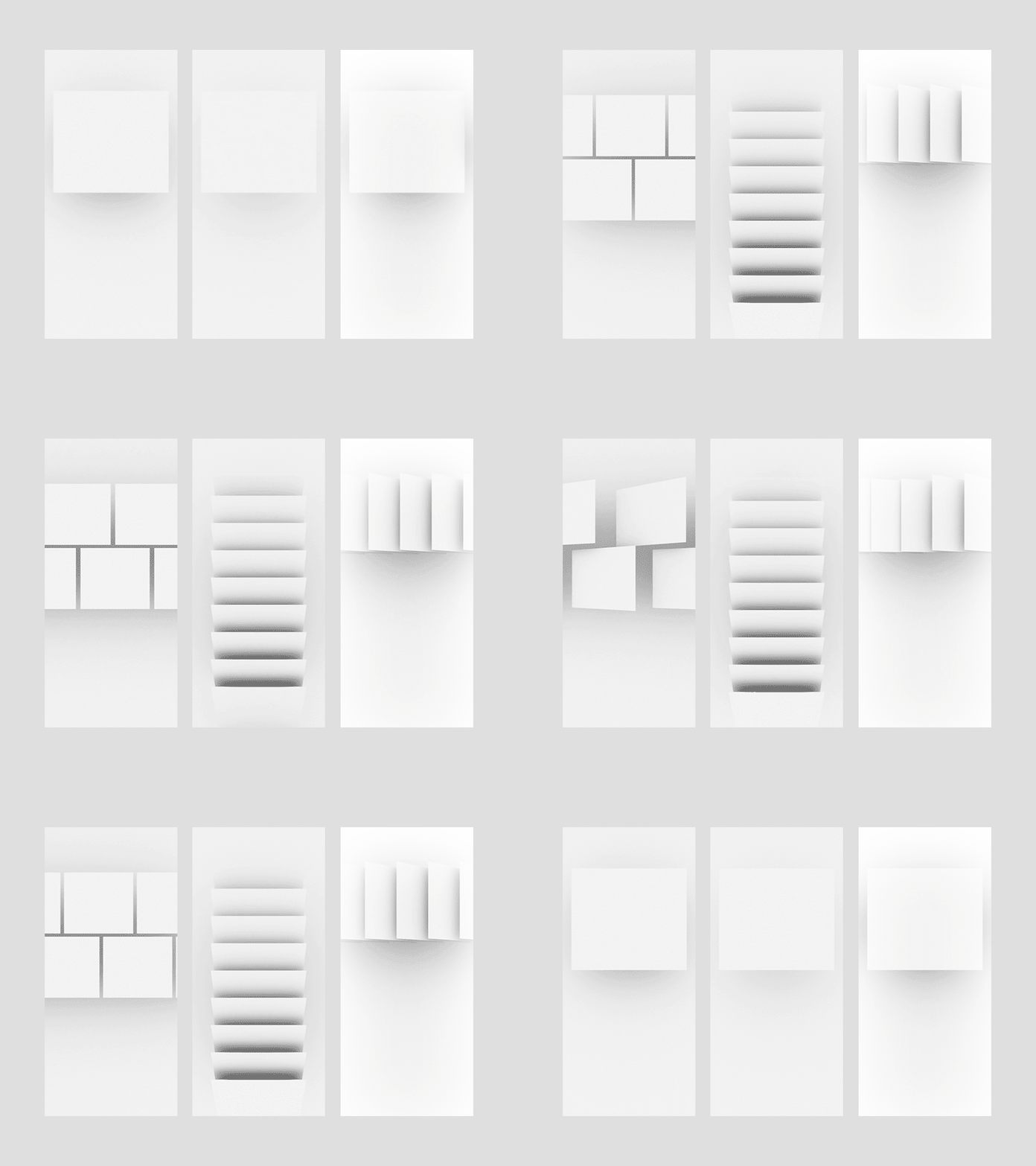
The swipe action is probably the best-known micro-interaction. It eliminates a lot of taps and is more interactive and smooth. It helps the user quickly change taps. Additionally, swiping is a common gesture and guides the user without making them think.
스와이프 액션은 아마 가장 잘 알려진 마이크로 인터렉션 일 것이다. 그것은 많은 탭들을 제거하고 더 인터렉티브 하고 부드럽다. 사용자들이 빠르게 탭을 바꾸는데 도움을 준다. 게다가, 스와이핑은 흔한 제스쳐이고 사용자들이 생각해서 만들 필요가 없음을 제공한다.
Data Input And Feedback
Who doesn’t know the frustration of setting up a password or making an account? This often required action can easily stop users from continuing to use your product. While suggestions on password strength or username availability can smoothen out this process. Furthermore, some visual feedback at the moment of data input can also keep the user engaged with the process and help accomplish the goal they’re trying to achieve.
정보 입력과 피드백
패스워드를 설정하고 계정을 만드는 답답함을 모르는 사람이 있을까? 자주 요구되어지는 이 액션은 사용자가 당신의 상품을 계속 사용하는 것을 쉽게 멈출 수 있다. 반면 패스워드의 강도 또는 사용자 이름 가능성의 제안은 이 과정을 더 부드럽게 만들 수 있다. 더욱이, 정보를 넣는 순간의 몇몇의 비주얼 피드백을 통해 사용자는 프로세스를 계속 진행 할 수 있으며 그들이 이루고자 하는 목표에 달성하는 것을 도울 수 있다.

Current System Status
It is a necessity to keep the user informed about the current status of a site or app. If the user has no clue what’s happening or why a system isn’t responding, he will close the app. Micro-interactions are a perfect tool to keep the user informed on what’s going on, how long will it takes the process to complete, what is wrong, etc. Even failure messages can be brought in such a way that they retain the trust of the user in your product.
현재 시스템 상태
사용자에게 사이트 또는 앱의 현재상태에 대해 계속 알려야 합니다. 만약 사용자에게 무슨 일이 일어났는지 또는 왜 시스템 반응이 없는지에 대해 아무 근거가 없다면, 그는 앱을 닫을 것이다. 마이크로 인터렉션들은 무엇이 틀렸고 과정이 완성되는데 얼마나 시간이 걸리고 무엇이 어떻게 되어가고 있는지 등등에 대해 사용자에게 알려줄 수 있는 완벽한 방법이다. 비록 고장 메세지 일지라도 이러한 방법으로 사용자들이 당신의 상품에 신뢰를 유지하도록 할 수 있다.

Call To Action
Micro-interactions are a powerful way to persuade your user to interact with your app or website. A well-designed call to action gives your user a feeling of achievement and empathy. This is the best way to make your users interact with CTA’s.
마이크로 인터렉션은 당신의 앱또는 웹사이트와 사용자가 상호작용 할 수 있도록 설득하는 강력한 방법이다. 잘된 디자인의 call to action(행동 호출)은 사용자에게 성취감과 공감을 준다. 이것이 당신의 사용자가 cta와 상호작용하는 가장 좋은 방법이다.

Animated Buttons
Animated buttons are often overlooked, but can add great value to the UX of an app or website. They have the role of information manager by guiding the user through your app or design. When making animated buttons, you need to pay attention to shape, color, special effects, and placement to make the user experience seamless.
움직이는 버튼은 종종 간과 될 수 있으나, 앱이나 웹사이트의 ux 가치를 더 좋게 할 수 있다. 그들은 당신의 앱 또는 디자인을 통해 사용자에게 안내함으로써 정보 매니저의 역할을 한다. 움직이는 버튼을 만들때에는 아주 매끄러운 사용자 경험을 만들기 위해 모양, 색상, 특별한 효과, 그리고 위치에 주의할 필요가 있다.

5 Tips For Using Micro-Interactions To Improve User Experience.
To prepare you for the creative world of micro-interactions, I have compiled four concrete tips to make sure you are ready to improve your UX design:
1. Keep the user informed and, at least, visually engaged. The last thing you want is your user getting bored.
2. Focus on the emotions of a user. They play a huge role in user interactions and user habits.
3. If you’re using animation as a micro-interaction for page- or state changes, make sure the transition between two visuals is smooth, effortless, and smooth.
4. Make sure your micro-interactions are predictable. Your user is tuned into a set of behavioral patterns. Micro-interactions are not meant to change long-established patterns, they are meant to make them easier and more intuitive.
With these fundamentals you are ready to explore the world of micro-interactions.
사용자 경험을 향상시키기 위한 마이크로 인터랙션 사용의 5가지 팁
마이크로 인터랙티브의 창의적인 세상에 대비하기 위해, 당신의 ux디자인을 향상시킬 준비를 확실하기 위한 4가지 구체적인 팁들을 정리해왔다.
1. 사용자에게 정보를 알리고, 최소한 시각적으로 참여하도록 한다. 사용자가 지루해 지는 것은 원치 않는다.
2. 사용자의 감정에 집중해라. 그들은 사용자 상호작용과 사용자 습관에서 거대한 역할을 한다.
3. 만약 당신이 마이크로 인터랙션으로 페이지 또는 상태 변화에 움직임을 사용한다면, 두 비주얼 사이의 변화는 부드럽고, 힘들이지 않고 부드러워야 한다는 것을 명심해라.
4. 당신의 마이크로 인터랙션은 예측가능해야한다는 것을 명심해라. 당신의 사용자는 일련의 행동 패턴으로 조정된다. 마이크로 인터랙션은 오랫동안 정립되어온 패턴을 변화시키는 것을 이미하는 것이 아니라, 더 쉽고 직관적이어야 하는것을 의미한다.
이러한 기본 지식을 가지고 마이크로 인터렉션의 세계를 살펴 볼 수 있다.
원문출처:
https://uxdesign.cc/micro-interactions-and-their-role-in-ux-design-8abf0ce21052
Micro-interactions and their tole in UX design
While micro-interactions often go unnoticed by the user, it is really important to keep them in mind as a designer. While users encounter…
uxdesign.cc
*번역에 오역과 의역이 있을 수 있습니다.
'읽기' 카테고리의 다른 글
| UX Project: Pizza App (0) | 2020.04.27 |
|---|---|
| 7 Principles of Icon Design (0) | 2020.04.21 |
| A checklist to improve your product UI (0) | 2020.03.17 |
| The ultimate guide to proper use of animation in UX (0) | 2020.03.02 |
| UX 101: Norman Doors (0) | 2020.02.17 |


댓글 영역